Translate a mod without touching its gameplay logic.
This guide shows the practical workflow in Frankk's Online STBL Studio: import the package, create a target-language project, translate the text, preserve token logic, export the localized string table, and test it in game.
STBL & Localization explains string keys, token slots 0/1/2, M/F branches, English custom pronouns, plural forms and English fallback tables. This page focuses on what a translator needs to do with them.
1. Before you start
A translation normally changes only the mod’s localized text. It should not change traits, interactions, buffs, tests, loot actions or other gameplay tuning.
Keep it unchanged. The same key identifies the same semantic string in every locale.
The original mod text should live in the English en_US STBL.
Your translation replaces the English fallback text for one supported game language.
2. Import the mod into STBL Studio
Open Frankk’s Online STBL Studio.
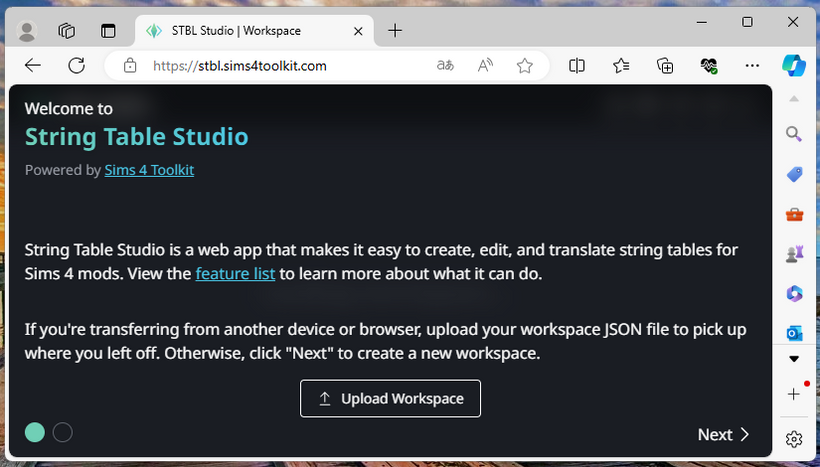
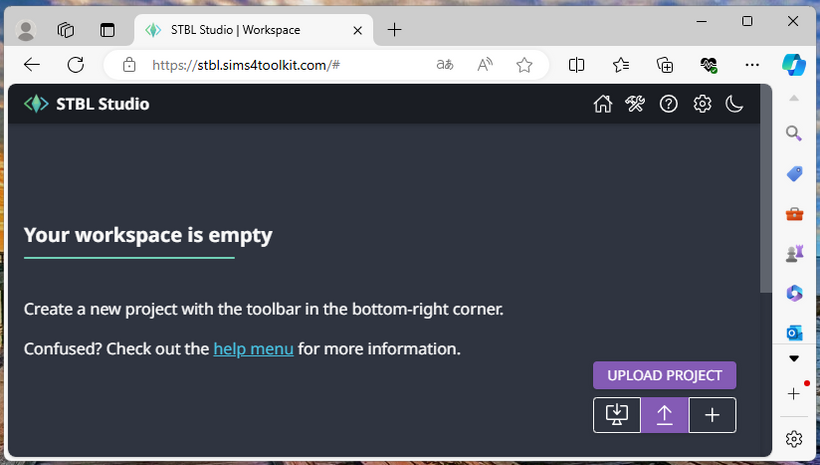
If you already saved a workspace before, choose UPLOAD WORKSPACE. Otherwise continue with NEXT.
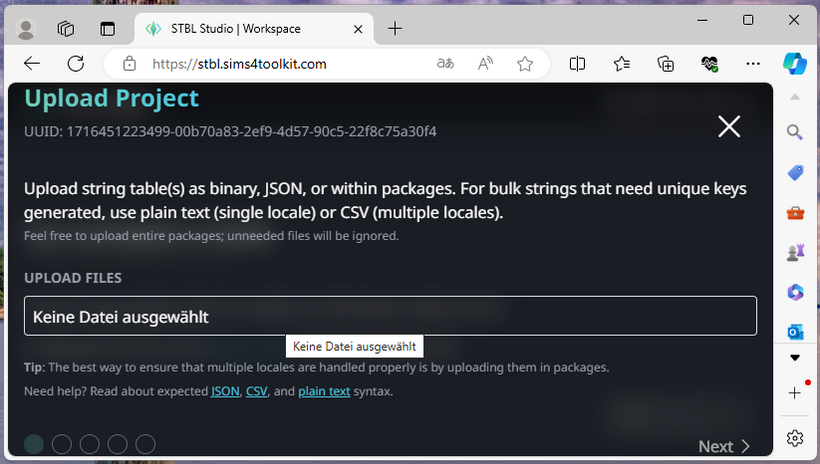
Choose UPLOAD PROJECT and select the .package file containing the strings.
A mod can contain several package files. If the expected strings are missing, inspect the other packages from the mod.
3. Configure the translation project
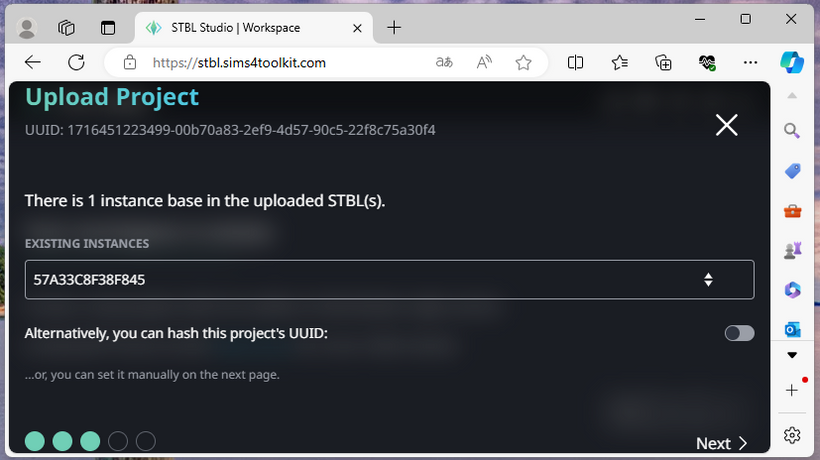
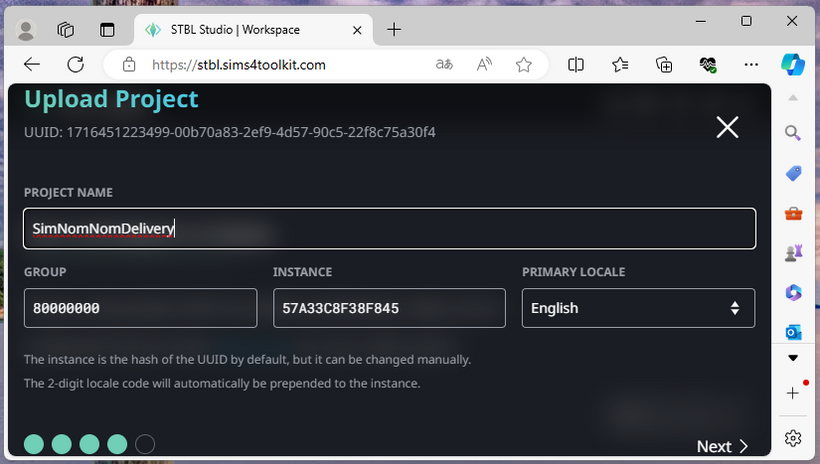
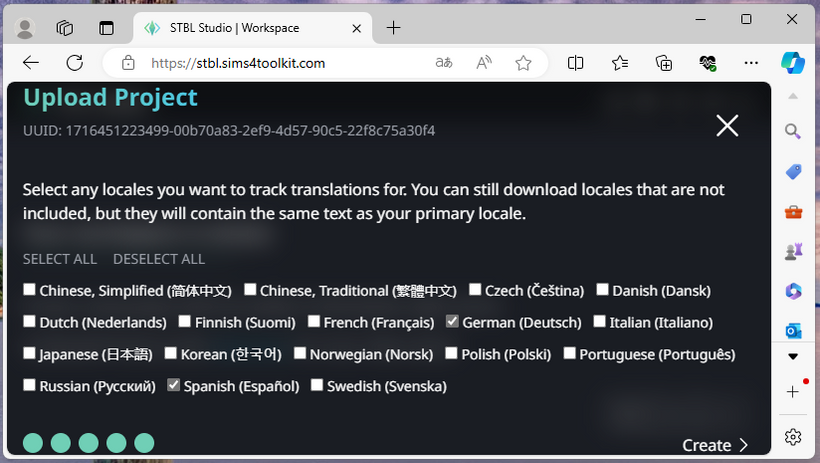
Once the package is loaded, STBL Studio asks how the translation project should be created.
Use a name that makes the mod and target language easy to recognize.
Do not alter GROUP, INSTANCE, string keys or other resource identifiers unless you specifically know why.
The original/source locale is English (en_US). Choose the language you are translating into as the target locale.
4. Translate the strings
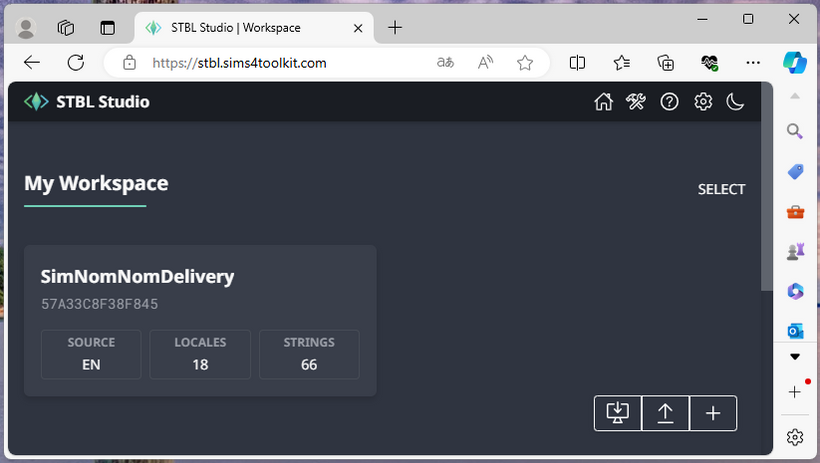
The project now displays the strings available for translation.
Open the Translate interface and enter the target-language text.
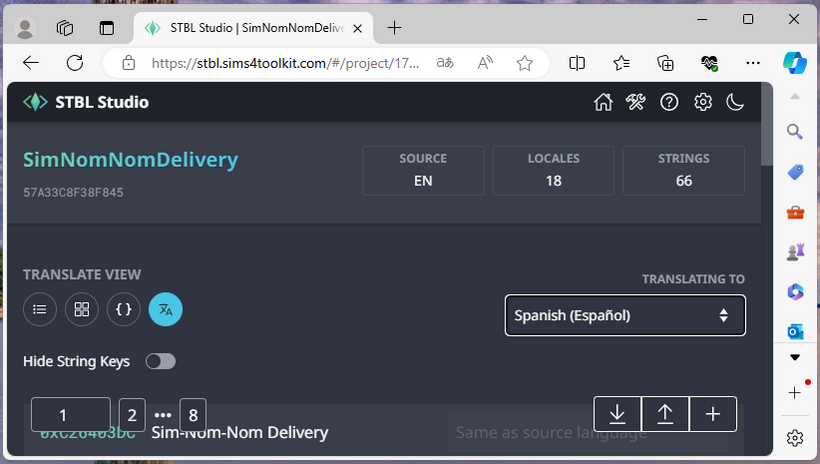
Translate naturally rather than copying English word order. Names, descriptions, notifications, interaction labels and tooltips should sound like native UI text in the target language.
5. What translators must preserve in tokens
The detailed token system is covered in STBL & Localization. For translation, the most important rule is: do not change which runtime argument a token refers to.
If the English string contains:
{1.SimFirstName}
then the 1 identifies a specific token slot. Moving the token within the sentence is fine; changing 1 to 0 is not.
The same applies when an English pronoun token must be converted into gender branches in another language.
English: {1.SimPronounSubjective}
German:  {M1.er}{F1.sie}
The grammatical mechanism changes, but the index stays 1 because both forms still describe the same runtime Sim.
Branch only what actually changes
When masculine and feminine forms share most of a word, keep the common stem outside the token and branch only the changing part.
Spanish: cansad{M0.o}{F0.a}
Russian: устал{F0.а}
Use a whole-word or whole-phrase branch when the forms differ substantially. Do not introduce an empty branch merely to make the pair look symmetrical.
The same runtime values, different grammar
| Language | STBL text |
|---|---|
| English | {0.SimFirstName} earned {0.Money}. |
| German | {0.SimFirstName} hat {0.Money} verdient. |
| Spanish | {0.SimFirstName} ha ganado {0.Money}. |
| Russian | {0.SimFirstName} заработал{F0.а} {0.Money}. |
| Japanese | {0.SimFirstName}は{0.Money}稼いだ。 |
Each row uses the same dynamic name and money value. The grammar around those values changes according to the locale.
English custom pronouns are a special case
English Sims can use He/Him, She/Her, They/Them or custom pronouns. Do not blindly copy English SimPronoun... placeholders into another locale.
A target language may need M/F branches, different word agreement, or a rewritten sentence with no pronoun at all. The numeric index, however, must still refer to the same runtime token.
You may replace an English pronoun mechanism with locale-specific grammar, but you must preserve the original argument index.
6. Language-specific considerations
No one locale should be treated as the universal model. English, German, Spanish, Russian and Japanese below are deliberately given equal weight because they demonstrate different problems.
| Language | Main concern |
|---|---|
| English | Custom pronouns can change the pronoun without automatically fixing surrounding verb agreement. |
| German | Person nouns and articles can be gender-sensitive, while many predicative adjectives are not. |
| Spanish | Gender often appears in nouns, adjectives and endings; subject pronouns can frequently be omitted. |
| Russian | Gender affects person nouns, adjectives and past-tense forms; cases can make inserted names and nouns difficult. |
| Japanese | Pronouns are often omitted; ordinary sentences usually do not require grammatical male/female agreement. |
For the remaining Sims 4 locales, use the same principle: reproduce the meaning and runtime references, not English syntax.
German, Spanish, French, Italian, Portuguese (Brazil), Russian, Polish and Czech commonly require gender-aware person nouns or surrounding agreement. Check the whole phrase, not only the pronoun.
French and Italian frequently require agreement in articles, person nouns and adjectives. Portuguese also uses broad masculine/feminine agreement. Russian, Polish and Czech combine gender with richer case and number systems. Dutch, Swedish, Norwegian and Danish have grammatical noun-gender systems but usually require less male/female branching around a Sim than the Romance and Slavic languages. Finnish has no grammatical gender in third-person pronouns but has extensive case morphology. Simplified Chinese, Traditional Chinese, Japanese and Korean generally do not use European-style grammatical gender agreement; natural localization often omits pronouns or restructures the sentence instead.
A language can classify ordinary nouns by grammatical gender without requiring male/female forms for a Sim, while another language may have little grammatical noun gender but still distinguish written person references.
7. Export the translated string table
When the translation is complete, export the translated resource.
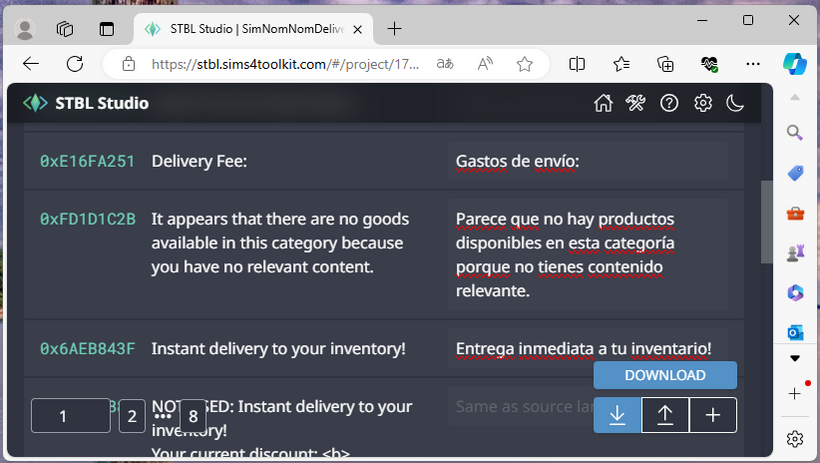
Choose DOWNLOAD AS STRING TABLE, then select the locale you translated.
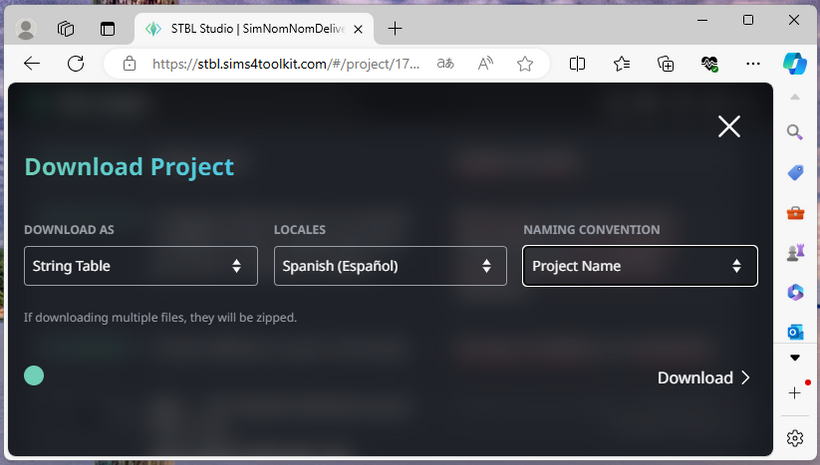
Keep the default naming convention unless the mod creator explicitly requests another format.
Frankk's STBL Studio can populate untranslated locale entries with the English source text. If you build locale STBLs manually in Sims 4 Studio, copy the English value into every untranslated entry yourself rather than leaving it blank.
8. Test the translation in game
Do not consider a translation finished until you have seen it in the actual game language.
Testing in English cannot confirm whether another locale is packaged or worded correctly.
Look at interaction names, tooltips, picker entries, notifications, trait or buff descriptions and other places where the mod displays text.
Verify names, numbers, pronouns, gender branches and other placeholders with more than one Sim.
A correct translation can still be too long for a button, notification or picker row.
Common problems
1The text does not appear: check the target locale and confirm that the string key exists in that locale table.2The wrong Sim controls a gender form: compare the original token index with your M/F index.3A pronoun is wrong or missing: the English custom-pronoun construction may need a locale-specific rewrite.4Only some texts are translated: the mod may use more than one STBL or package file.5Text is cut off: shorten or rephrase the translation for that UI context rather than changing the resource key.Sharing a translation
If you translated someone else’s mod, send the finished package to the creator when possible. This makes it easier to keep the translation synchronized with future updates.
When the original mod receives new strings, add the new keys to the translation. Until those new strings are translated, they should carry the English source value rather than an empty entry.
English supplies the original text, every locale keeps the same string keys, and the translation adapts the words and grammar without breaking the runtime token relationships.