This guide covers the basic installation process for both .package and .ts4script mods.
Enable Mods in The Sims 4
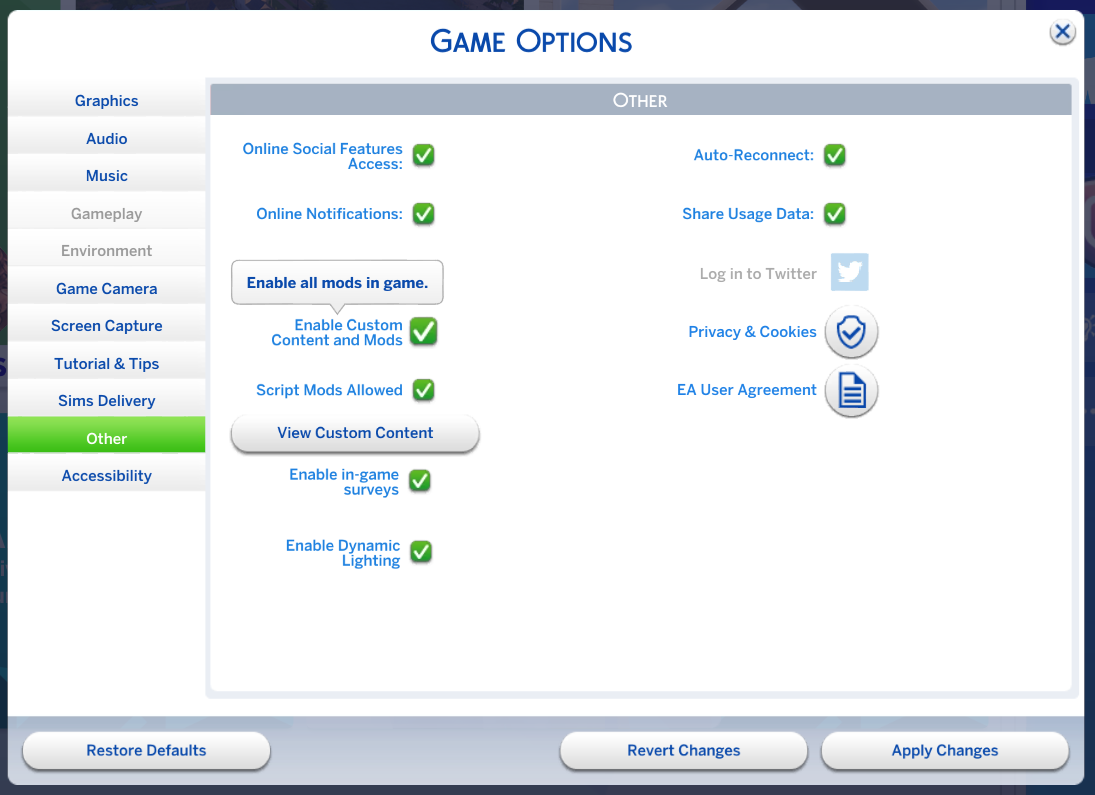
Launch the game and open Game Options → Other. Enable Custom Content and Mods and, when required, Script Mods Allowed. Apply the changes and restart the game.
Download Mods from Trusted Sources
Use reputable sources such as CurseForge or the official websites and pages of mod creators. Avoid redistribution sites that re-upload files without the creator’s permission.
My mods are distributed through Patreon and CurseForge. Versions found elsewhere may be outdated, modified, or unauthorized.
After downloading
- Extract
.zipor.rararchives before installing them. - Inside, you will usually find
.packagefiles,.ts4scriptfiles, or both.
Place Files in the Mods Folder
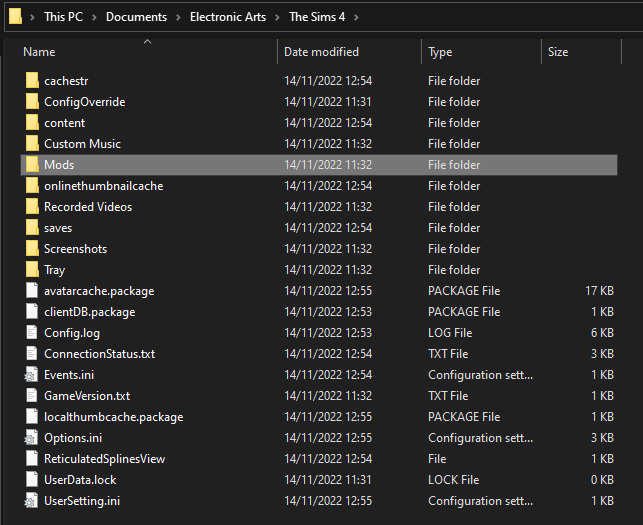
The default Mods folder is:
Documents > Electronic Arts > The Sims 4 > Mods
Understand the File Types
.package
Package files can contain tuning, traits, buffs, interactions, objects, CAS content, textures, and many other resources.
They can be organized in subfolders as deeply as you want.
.ts4script
Script files contain Python code. They are used when a mod needs runtime logic that tuning alone cannot provide.
Script files can be placed directly in the Mods folder or one subfolder deep.
See What Is Tuning? for the basic structure behind traits, buffs, interactions, tests and other gameplay resources.
Keep the Game Healthy
- Back up your saves before making major changes to your mod setup.
- Keep mods and dependencies updated after game patches.
- Read each mod’s installation notes and DLC requirements.
- Clear
localthumbcache.packageafter removing or replacing problem mods.
See Maintaining Mods for patch-day updates, caches, dependencies and troubleshooting habits.
Security
.ts4script files contain executable Python code, so only install them from creators and sources you trust. Package files are data resources rather than executable Python scripts, but they should still be downloaded from reliable sources to avoid corrupted or misleading files.